
Interactive Solar System – LMS Experiment
This experiment helps learners visualize the solar system, understand the relative placement of planets around the Sun, and explore important planetary properties through an interactive simulator and 360° model viewer.
Aim
To study the basic arrangement of planets in the solar system and understand their relative orbital positions, physical characteristics, and escape velocity values using an interactive web-based simulator.
Learning Outcomes:
- Understand the sequence of planets around the Sun.
- Compare planetary properties such as radius, gravity, mass, and escape velocity.
- Visually distinguish rocky planets, gas giants, and ice giants.
- Explore 360° views of selected planets for better conceptual understanding.
Theory
The solar system consists of the Sun at the center and planets revolving around it in defined orbital paths. Each planet has unique characteristics such as radius, mass, gravity, escape velocity, and mean distance from the Sun.
In this simulator, the orbit rings are represented conceptually for visual understanding rather than exact astronomical scale. The planets are made interactive, allowing the learner to select a planet, view its key data, and open a 360° model for deeper observation.
The animation supports visual learning by combining motion, scientific data, and interactive 3D exploration in one interface. :contentReference[oaicite:1]{index=1}
Formula
Where:
- G = universal gravitational constant
- M = mass of the planet
- R = radius of the planet
- Vesc = escape velocity
- g = surface gravity
Procedure
- Open the simulator tab.
- Observe the dark orbit-view area with the Sun placed at the center-left.
- Click any orbiting planet directly in the orbit system, or use the planet buttons below.
- View the selected planet’s details in the right-side information panel.
- Study the displayed data such as radius, mass, gravity, escape velocity, and mean distance from the Sun.
- Click Open 360° Rotatable View to launch the Sketchfab popup for the selected planet.
- Rotate, zoom, and inspect the 3D model, then close the popup to continue exploring the other planets.
Note: The simulator is intended for conceptual understanding and interactive learning, not exact scale modelling.
Orbit View
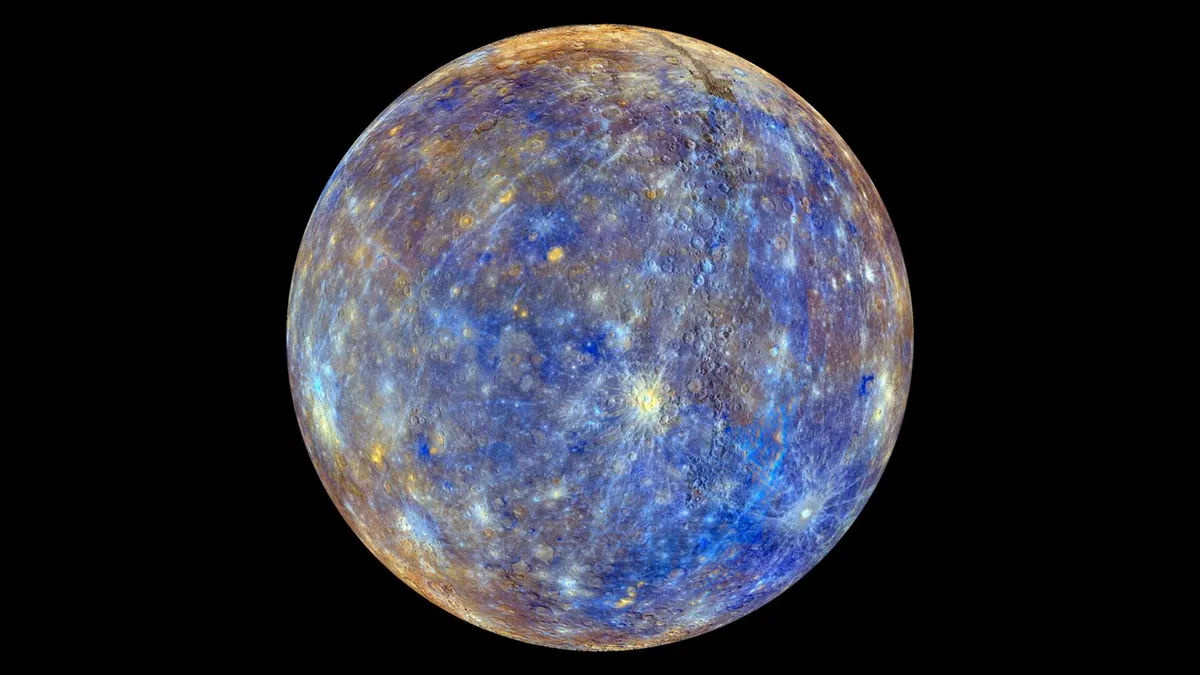
Imaginary orbit rings with the Sun at the center-left. Mercury, Venus, Earth, Mars, Jupiter, Saturn, and Uranus are interactive.
Mercury
Observation
Observation Points
- The planets are shown on separate orbital paths around the Sun.
- Inner planets are closer to the Sun and outer planets are placed farther away.
- Each planet displays different physical parameters such as gravity and escape velocity.
- Gas giants such as Jupiter and Saturn appear larger than inner rocky planets.
- Saturn is represented with rings, making its distinct structure easy to identify.
- The 360° views improve visual and spatial understanding of planetary bodies.
Inference
The simulator helps learners observe that planets differ significantly in size, gravity, mass, and orbital distance. It also reinforces that escape velocity changes from planet to planet based on planetary mass and radius.
Viva Questions
Basic Viva
- Which planet is closest to the Sun?
- Which planet is known for its rings?
- Why is Earth called a habitable planet?
- What is meant by escape velocity?
- Which planet has the highest gravity among those shown?
Advanced Viva
- Why does Jupiter have a much higher escape velocity than Mercury?
- How does mass influence surface gravity?
- Why is the simulator not drawn to exact planetary scale?
- How do gas giants differ from terrestrial planets?
- Why is Uranus considered unusual compared with most other planets?